
This guide describes how to quickly get started with your Dell computer.
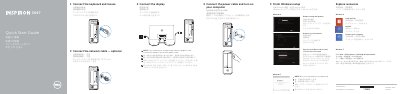
This guide helps you set up your Dell Inspiron 3647 computer. It includes steps to connect peripherals, finish Windows setup, and enable security updates. The guide also shows front panel ports including USB, HDMI, VGA, audio, and network connections.
For support, visit dell.com/support or contact Dell directly. The document is for the Inspiron 3647 model, with regulatory model D09S and type D09S001. This manual is written in Chinese.
| Computer model | Inspiron 3647 |
|---|---|
| Regulatory model | D09S |
| Regulatory type | D09S001 |
Connect the display to the discrete graphics card if your computer has one, or to the HDMI or VGA ports on the front panel.
The front panel includes USB 2.0 and 3.0 ports, HDMI-out, VGA, audio ports, network port, security-cable slot, and power-cable port.
Visit dell.com/support or contact Dell directly for product support and manuals.