
Dell Inspiron 3647 Quick Start Guide

This document describes how to use a Lenovo computer.
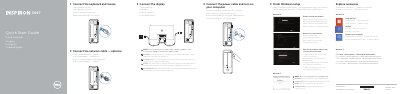

Dell Inspiron 3647 Quick Start Guide - cover page
Brand
DELL
Category
Desktops
Document type
Quick Start Guide
Language
English
Pages
2
File format
PDF
File size
126 KB
Published
25 November, 2023
Updated
25 November, 2023
MD5 checksum
61A4C1907230067D6544CBF6B8500C1E

About this manual

This guide helps you set up your Dell Inspiron 3647 computer. Connect peripherals like keyboard, mouse, display, and power cable. Complete Windows setup, enable security and updates, and connect to your network. The guide also lists front panel ports including USB, HDMI, VGA, audio, and network ports.

For support, visit dell.com/support or contact Dell directly. The document includes regulatory information and safety compliance details for the Inspiron 3647 model.

What's inside

  • Connect peripherals
  • Windows setup
  • Enable security and updates
  • Connect to network
  • Front panel ports
  • Product support
  • Regulatory information

Frequently asked questions

What symbol should not be used in the password?

Do not use the @ symbol in your password.

How many USB 2.0 ports are on the front I/O panel?

There are two USB 2.0 ports on the front I/O panel.

Download PDF (126 KB)

More DELL Manuals


View all DELL manuals →