
The quick start guide for Dell computers introduces the various components and functions of the computer.
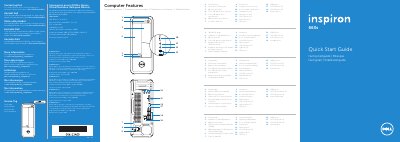
The Dell Inspiron 660s Quick Start Guide provides an overview of the computer's physical features and connectivity options. It includes a detailed map of the front and rear I/O panels, identifying ports for USB, audio, video, and networking.
The guide also outlines the basic setup process, including connecting peripherals like the keyboard, mouse, and display, as well as completing the Windows setup and enabling security.
| Input Voltage | 100–127 V AC / 200–240 V AC |
|---|---|
| Input Frequency | 50 Hz / 60 Hz |
| Input Current | 6 A / 3 A |
| Regulatory Model | D06S |
Connect the display to the connector on the discrete graphics card.
This guide helps you set up the computer by connecting peripherals, attaching the display, and completing the Windows installation.
The computer has four USB 2.0 ports located on the front.
The computer supports an input voltage of 100–127 V CA or 200–240 V CA.