
The Dell OptiPlex 9030 All-in-One Quick Start Guide provides step-by-step instructions on how to unpack, set up, connect to a network, and use your new computer.
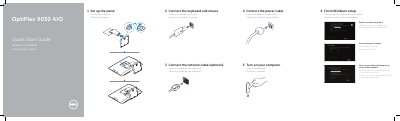
This guide provides step-by-step instructions for the initial setup of the Dell OptiPlex 9030 All-in-One PC. It covers enabling security updates, completing the Windows setup process, connecting to a network, and powering on the device. The guide is available in English, Portuguese, and Spanish.
| Input voltage | 100 V CA–240 V CA |
|---|---|
| Input current | 2,60 A |
| Input frequency | 50 Hz–60 Hz |
The regulatory model is W09C.
The input voltage is 100 V AC–240 V AC.
The maximum input current is 2,60 A.
The input frequency is 50 Hz–60 Hz.