
Dell Vostro 14 5000 Series (14-5468) Quick Start Guide

Dell Vostro 14 5000 Series Quick Start Guide
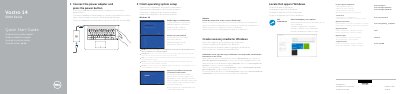

Dell Vostro 14 5000 Series (14-5468) Quick Start Guide - cover page
Brand
DELL
Category
Laptops
Document type
Quick Start Guide
Language
English
Pages
2
File format
PDF
File size
296 KB
Published
25 November, 2023
Updated
25 November, 2023
MD5 checksum
DF4889617A99FCC197A49904BB54713D

About this manual

Connect the power adapter and press the power button, then finish operating system setup. For Windows, locate Dell apps, enable support and protection, connect to a network, sign in or create an account, and create recovery media; for Ubuntu, follow the on-screen instructions.

The guide also identifies the laptop's ports and controls, including USB 3.0, HDMI, VGA, network, power, memory card reader, fingerprint reader, and service tag label, and lists shortcut keys for audio, brightness, wireless, and sleep.

What's inside

  • Connect the power adapter and press the power button
  • Finish operating system setup
  • Locate Dell apps in Windows
  • Create recovery media for Windows
  • Features
  • Shortcut keys

Frequently asked questions

How do I start the laptop for the first time?

Connect the power adapter and press the power button.

How do I create Windows recovery media?

In Windows search, type Recovery, click Create a recovery media, and follow the instructions on the screen.

Where is the service tag label?

Item 21 in the features diagram is the service tag label.

Download PDF (296 KB)

More DELL Manuals


View all DELL manuals →