
The Dell™ W2600 26-inch LCD TV features a stylish design with an ultra-thin bezel and a sleek stand, making it the perfect addition to any room. This TV has a Full HD 1080p resolution that delivers stunning picture quality. It also has a variety of features, such as HDMI inputs, USB ports, and built-in speakers.
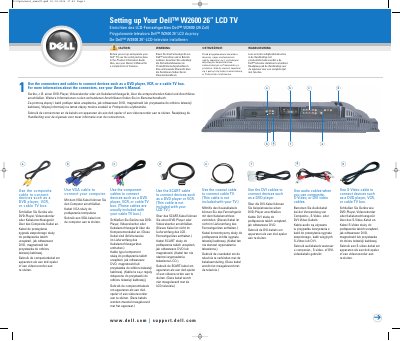
This two-page setup guide helps install and connect the Dell W2600 26-inch LCD TV. It shows cable connections for devices such as DVD players, VCRs, cable TV boxes, and computers, plus remote control battery installation.
It also explains how to select the correct input source, access the on-screen display, and set up channels. The guide refers to the Owner's Manual and Product Information Guide for complete features and safety instructions.
| Screen size | 26 inches |
|---|
Press Input on the remote control, then choose the source that matches the connectors used.
Use a VGA cable.
Use the coaxial cable.