
Dell Latitude 15 3000 Series Notebook Quick Start Guide.
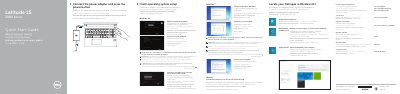
This guide helps you set up your Dell Latitude 15 3000 Series notebook quickly. It covers connecting power, finishing OS setup, enabling security, connecting to networks, and signing in to your account. The guide also lists hardware features like camera, microphone, USB ports, and battery status lights.
For detailed information, refer to the Owner’s Manual at dell.com/support/manuals.
Connect to your network by following the on-screen instructions. If connecting to a secured wireless network, enter the password when prompted.
Features include a camera, microphone, power button, security-cable slot, VGA, USB 2.0, memory card reader, fingerprint reader (optional), battery-status light, hard-drive activity light, power-status light, speakers, touchpad, headset connector, USB 3.0 (2), HDMI, network, and power connectors.