
OptiPlex 3240 All-in-One Quick Start Guide
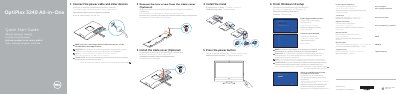
Dell OptiPlex 3240 All-in-One Quick Start Guide covers initial setup of the computer. It shows connecting the power cable and other devices, installing the stand, pressing the power button, and completing Windows 10 setup, including network and Microsoft account sign-in.
The guide also labels the computer's ports and features, such as USB, DisplayPort, HDMI-out, network, audio, and memory card reader connectors. It points to the Owner's Manual at dell.com/support and mentions Dell apps, product registration, and SupportAssist.
See the documentation that shipped with the wireless keyboard or mouse.
See the Owner's Manual at dell.com/support.