
The Dell OptiPlex 7040M Quick Start Guide provides information on how to set up and use the Dell OptiPlex 7040M computer.
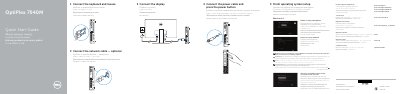
The Dell OptiPlex 7040M Quick Start Guide provides setup steps for the Dell OptiPlex 7040M computer, including connecting the keyboard, mouse, network cable, power cable, and display.
It lists front and rear features such as USB 3.0 connectors, DisplayPort, HDMI, and network ports, and points users to Dell.com/support for product support and manuals.
Enter the password for the wireless network access when prompted.
Visit Dell.com/support or Dell.com/support/manuals.
Follow the instructions on the screen to finish setup.