
Dell Inspiron 3650 Quick Start Guide

This document describes how to connect the keyboard, mouse, display, and power cable.
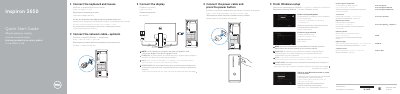

Dell Inspiron 3650 Quick Start Guide - cover page
Brand
DELL
Category
Desktops
Document type
Quick Start Guide
Language
English
Pages
2
File format
PDF
File size
830 KB
Published
22 November, 2023
Updated
22 November, 2023
MD5 checksum
2DE8E63E8EA03D490F3EEBE8E82C5408

About this manual

This Quick Start Guide for the Dell Inspiron 3650 shows how to connect the keyboard and mouse, power cable, display, and optional network cable, then finish Windows setup, enable security and updates, connect to a network, and sign in to a Microsoft or local account.

It also identifies the computer's ports and features and points to Dell SupportAssist, computer registration, Dell Backup and Recovery, Dell Help & Support, and locating Dell apps.

What's inside

  • Connect the keyboard and mouse
  • Connect the power cable and press the power button
  • Connect the display
  • Connect the network cable—optional
  • Finish Windows setup
  • Enable security and updates
  • Connect to your network
  • Sign in to your Microsoft account or create a local account
  • Features
  • SupportAssist

Specifications

USB 3.0 ports2
USB 2.0 ports4
Audio ports3
Optical driveoptional

Frequently asked questions

What should I do if the computer has a discrete graphics card?

Connect the display to the discrete graphics card.

Is connecting the network cable required?

No, connecting the network cable is optional.

What Dell utility is mentioned for checking and updating the computer?

SupportAssist is mentioned for checking and updating the computer.

Where can product support and manuals be found?

Product support and manuals are available at Dell.com/support and Dell.com/support/manuals.

Download PDF (830 KB)

More DELL Manuals


View all DELL manuals →