
This document is the installation guide for Honeywell Wi-Fi Thermostat 9000 Color Touchscreen.
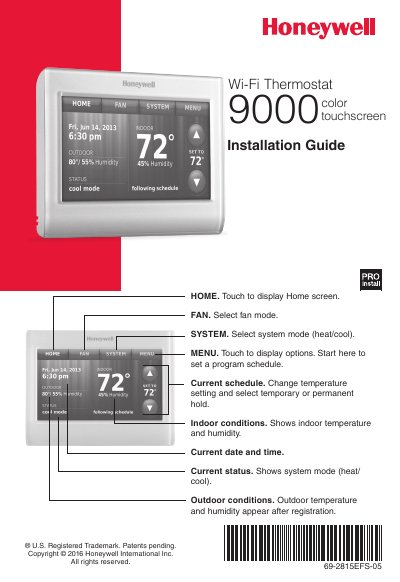
This document provides instructions for installing the Honeywell Wi-Fi Thermostat (Model THP9045A1023). It details the separation and mounting of the wallplate, including specific drill hole sizes for drywall and plaster. The guide includes detailed wiring diagrams for conventional, heat pump, and two-transformer systems, specifying terminal connections such as R, W, Y, G, and O/B.
| Cooling Temperature Range | 50 °F to 99°F (10°C to 37°C) |
|---|---|
| Packaging Temperature Range | -20° to 120 °F (-28,9 °C to 48,9 °C) |
| Relative Humidity | 5% to 90% (non-condensable) |
| Dimensions | 3-1/2" H x 4-1/2" W x 7/8" D |
| Wire Gauge | 18- to 22-gauge thermostat wire |
Drill 3/16" holes for drywall and 7/32" holes for plaster.
Use 18- to 22-gauge thermostat wire; shielded cable is not required.
Touch Yes to connect, select the network, enter the password, and register at mytotalconnectcomfort.com.