
This user manual describes the features and specifications of the Extech Model PRC15.
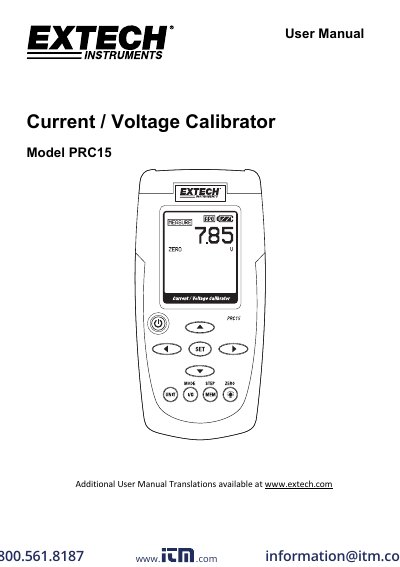
Extech Model PRC15 is a current/voltage calibrator that can measure up to 50 mA DC or 20 V DC and source current up to 24 mA DC at 1000 ohms or voltage up to 20.00 V. The manual describes keypad operation, measure and source modes, memory storage and stepping, tilt stand/hanger use, battery replacement, and specifications.
The unit has a dot matrix LCD, auto power off after 10 minutes of inactivity, and is powered by six AA batteries or an AC adaptor. It includes five memory locations with default values and supports manual or automatic stepping through stored output values.
| Display | Dot matrix LCD |
|---|---|
| Maximum load | 1000 ohms @ 24mA |
| Meter power | 6 AA batteries or AC adaptor |
| Auto power off | After 10 minutes of inactivity |
| Current output capability | 24mADC at 1000 ohms |
| Voltage input impedance | 10kohms minimum |
| Operating temperature | 41F to 104F (5C to 40C) |
| Storage temperature | -4F to 140F (5C to 40C) |
| Operating humidity | Max 80% up to 87F (31C), decreasing linearly to 50% at 104F (40C) |
| Storage humidity | <80% |
| Operating altitude | 7000ft (2000meters) maximum |
| Weight | 8.3 oz. (234g) |
| DC measure current | 0 to 50mA (0.01mA), +/- (0.01% + 1 digit) |
| DC measure percent | -25% to +230% (0.1%) |
| DC measure voltage | 0 to 1999mV (1mV); 2 to 20V (0.01V) |
| DC source current | 0 to 24mA (0.01mA) |
| DC source percent | -25% to +125% (0.1%) |
| DC source voltage | 0 to 2000mV (1mV); 0 to 20V (0.01V) |
Press and hold the ZERO button for 2 seconds.
Replace the six AA batteries when the battery icon appears.
M1: 4.00mA/0.0%/0mV/0V; M2: 8.00mA/25%/500mV/5V; M3: 12.00mA/50%/1000mV/10V; M4: 16.00mA/75%/1500mV/15V; M5: 20.00mA/100%/2000mV/20V.
The meter turns off after 10 minutes of inactivity.