
This document describes the quick setup guide for the Sony HT-SS360 home theater system.
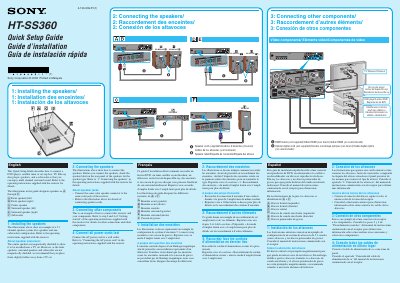
This Quick Setup Guide for the Sony HT-SS360 home theater system shows how to install and connect speakers, connect a DVD player, satellite tuner or set-top box, TV, Blu-ray disc player, and subwoofer, and connect power cords last. It identifies speakers A through F and notes that the center speaker is magnetically shielded while the front speakers, surround speakers, and subwoofer are not.
The guide is provided in English, French, and Spanish and refers to the operating instructions supplied with the receiver for detailed connection steps.
The center speaker is magnetically shielded, while the front speakers, surround speakers, and subwoofer are not.
Connect the same color speaker connector to the same color jack of the receiver.
All power cords should be connected last, including the AC power cord to a wall outlet.
A DVD player, satellite tuner or set-top box, TV, Blu-ray disc player, speakers, and a subwoofer.