
Sony DAV-TZ510/TZ710 Home Theatre System Quick Setup Guide

The document provides a quick setup guide for the Sony DAV-TZ510/TZ710 home theater system.
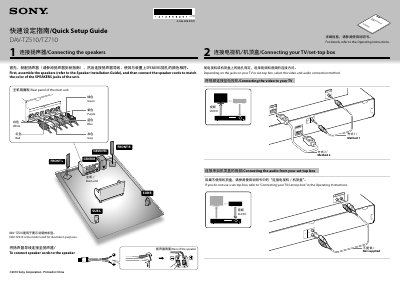

Sony DAV-TZ510/TZ710 Home Theatre System Quick Setup Guide - cover page
Brand
SONY
Category
home theatre
Document type
Quick Start Guide
Language
Chinese
Pages
2
File format
PDF
File size
716 KB
Published
15 November, 2023
Updated
15 November, 2023
MD5 checksum
038553ECE71603AAB835EE373B5F0297

About this manual

This Quick Setup Guide covers the Sony DAV-TZ510/TZ710 Home Theatre System. It describes how to assemble and connect speakers to the main unit using color-coded SPEAKERS jacks, and how to connect the system to a TV or set-top box using video and audio cables.

The guide also explains the initial Quick Setup steps, including selecting the on-screen language, TV aspect ratio, HDMI settings, and speaker formation, then listening to TV sound from all speakers. This manual is written in Chinese.

What's inside

  • Connecting the speakers
  • Connecting your TV/set-top box
  • Connecting the video to your TV
  • Connecting the audio from your set-top box
  • Performing the Quick Setup
  • Listening to TV sound from all speakers
  • Selecting the on-screen language
  • Selecting the aspect ratio
  • Selecting the speaker formation

Frequently asked questions

How should speaker cords be connected to the main unit?

Connect them to match the color of the SPEAKERS jacks of the unit.

What setting should be selected when using an HDMI cable?

Select [ON] when connecting the main unit and the TV with an HDMI cable.

When should a disc not be inserted?

Do not insert a disc before performing the Quick Setup.

How do I exit the setup menu?

Press SYSTEM MENU to exit the menu.

Download PDF (716 KB)

More SONY Manuals


View all SONY manuals →