
The ATC-2000WF Series of wireless serial device servers give you an easy way to connect your RS-232/422/485 serial devices to a WLAN.
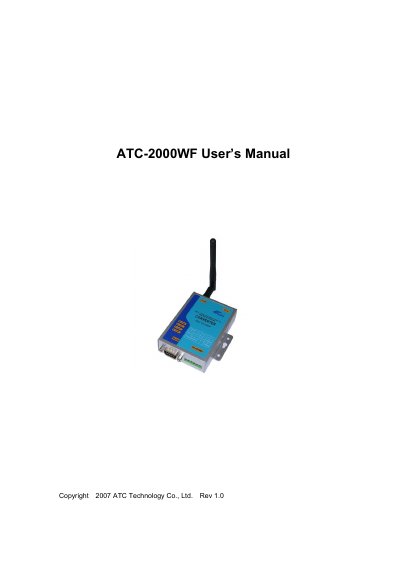
This user's manual covers the ATC-2000WF Series of wireless serial device servers, which connect RS-232/422/485 serial devices to a WLAN. It describes the 1-port ATC-2000WF and the 2-port ATC-2002WF, their product features, serial communication parameters, radio characteristics, power and environmental specifications, and the contents of the package.
The manual then explains the RS-232 and RS-422/485 pinouts, how to connect power and a serial device, the top panel LINK, DIS, ACT and PWR LED indicators, and initial configuration through the factory default IP address or a serial console at 38400, n, 8, 1. A final section lists the network, wireless LAN, serial port, server/client and other setup commands.
| Number of ports | 1 (ATC-2000WF) |
|---|---|
| Serial interface | RS-232/422/485 |
| Port type | DB9 Male and six bit terminal |
| Baud rate options | 9600, 38400, 57600 bps |
| Serial UART buffer | 256 bytes input, 256 bytes output |
| RF range | 2.4 ~ 2.4835 GHz |
| Data rate | 11/5.5/2/1 Mbps |
| RF power output (typical) | +15 dBm |
| Power supply | 9-36VDC |
| Current | Tx 350mA (Max.), Rx 210mA, Power Saving Mode 80mA |
| Dimensions | 95 x 76 x 26 mm |
| Operating temperature | 0 to +55 °C / +32 to +131 °F |
| Storage temperature | -20 to +65 °C / -4 to +149 °F |
| Relative humidity | 95% (non-condensing) |
| Network protocol | TCP/IP, UDP/IP, SNMP, HTTP, ARP, DHCP client |
The default WLAN IP address is 192.168.1.250 with netmask 255.255.255.0.
The serial console runs at 38400 baud, no parity, 8 data bits and 1 stop bit.
It takes 9-36 VDC through the power jack.
That combination indicates the WLAN is connected.