
The Panasonic MQ series photoelectric sensor user manual introduces the features and specifications of this series of sensors.
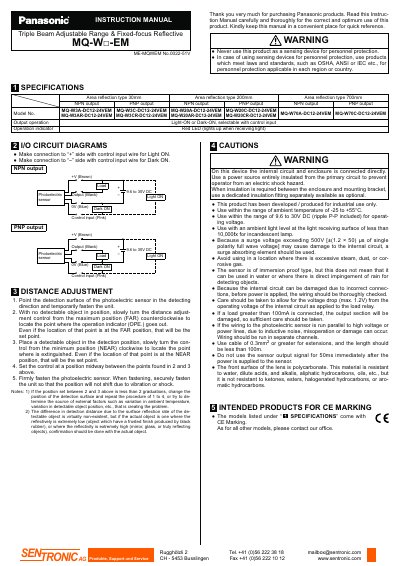
This instruction manual from Panasonic covers the MQ-W□-EM series of triple beam adjustable range and fixed-focus reflective photoelectric sensors. It lists the area reflection type 30 mm, 200 mm and 700 mm models with NPN or PNP output, describes the output operation (Light-ON or Dark-ON selectable with the control input) and the red LED operation indicator, and gives the NPN and PNP circuit diagrams for 9.6 to 30V DC wiring.
The manual explains how to adjust the detection distance with the FAR/NEAR distance adjustment control, and gives cautions for use: ambient temperature of -25 to +55°C, a load of no more than 100 mA, extension cable under 100 m, and protection against surge voltage and inductive noise. A warning states the sensor must never be used as a sensing device for personnel protection, and a closing section lists which models come with CE Marking.
| Sensor type | Triple beam adjustable range & fixed-focus reflective (area reflection type) |
|---|---|
| Detection ranges available | 30 mm, 200 mm and 700 mm area reflection types |
| Output types | NPN output or PNP output |
| Output operation | Light-ON or Dark-ON, selectable with control input |
| Operation indicator | Red LED, lights up when receiving light |
| Operating voltage | 9.6 to 30V DC (ripple P-P included) |
| Ambient temperature range | -25 to +55°C |
| Maximum load current | 100 mA |
| Voltage drop to load | max. 1.2V |
| Extension cable | 0.3 mm² or greater, less than 100 m long |
With no detectable object in position, turn the distance adjustment control slowly from FAR counterclockwise until the operation indicator goes out; then with an object in place turn it from NEAR clockwise until the indicator goes out, and set the control midway between the two points.
The sensor must be used within the range of 9.6 to 30V DC, ripple P-P included.
Connect the control input wire to the "+" side for Light ON, or to the "-" side for Dark ON.
No. The manual states it must never be used as a sensing device for personnel protection; products meeting OSHA, ANSI or IEC standards must be used for that purpose.