
The Sony WH-CH720N is a wireless noise canceling stereo headset with the following features:
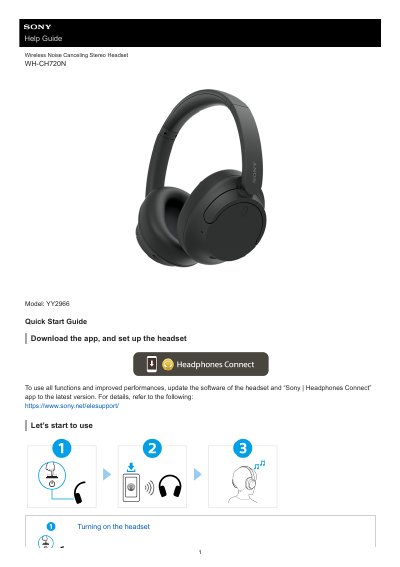
This is the Sony Help Guide for the WH-CH720N wireless noise canceling stereo headset (model YY2966). It starts with a quick start section on turning the headset on and establishing a Bluetooth connection, then walks through wearing the headset, charging, checking the remaining battery charge, and pairing with Android smartphones, iPhones, Windows 11 and Windows 10 computers, Mac computers and other Bluetooth devices. It also covers multipoint connection to two devices at once.
The guide explains listening to music over a Bluetooth connection, controlling the audio device with the buttons on the right unit, the noise canceling function, Ambient Sound Mode, sound quality mode, supported codecs and the DSEE function. Further sections cover receiving and making calls, using Google Assistant, Amazon Alexa and Siri, the "Sony | Headphones Connect" app, precautions, trademarks, customer support websites, troubleshooting, resetting and initializing the headset, and specifications.
| Power source | DC 3.85 V built-in lithium-ion rechargeable battery; DC 5 V when charged using USB |
|---|---|
| Charging time | Approx. 3.5 hours |
| Operating temperature | 0 °C to 40 °C (32 °F to 104 °F) |
| Charging temperature | 5 °C to 35 °C (41 °F to 95 °F) |
| Mass | Approx. 192 g (6.8 oz) |
| Frequency response | 7 Hz - 20 000 Hz (JEITA), headphone cable with headset turned on |
| Sensitivity | 108 dB/mW with headset turned on; 99 dB/mW with headset turned off (headphone cable) |
| Communication system | Bluetooth Specification version 5.2 |
| Maximum communication range | Line of sight approx. 10 m (32.8 ft) |
| Frequency band | 2.4 GHz band (2.400 0 GHz - 2.483 5 GHz) |
Charging takes approximately 3.5 hours. Charging and usage hours may differ depending on the conditions of use.
The communication system is Bluetooth Specification version 5.2, with output Power Class 1.
Press and hold the power button for about 2 seconds or more until the indicator (blue) flashes.
The headset says "Pairing" when it enters pairing mode; the voice guidance language can be changed in the app.