
PowerScan™ 9100 Family Product Reference Guide Linear Imager Bar Code Reader PowerScan PD9130/PBT9100/PM9100
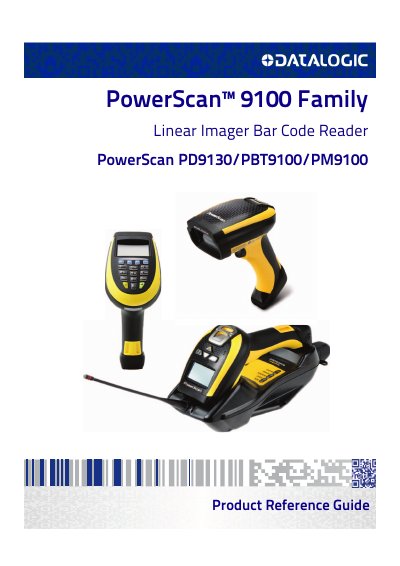
This Product Reference Guide covers the Datalogic PowerScan 9100 family of linear imager bar code readers — models PD9130, PBT9100 and PM9100 — together with the BC9xx0 base station/charger. It explains how to unpack and set up the reader, connect the cable on corded versions, configure and mount the base station, make system connections, select the interface, and link Datalogic RF or Bluetooth devices.
The rest of the guide documents configuration using bar codes: global interface features (RS-232, USB-com, keyboard emulation, USB-OEM, data format, prefix/suffix and Label ID), advanced formatting, reading parameters, LED and beeper indicators, and scanning features such as scan mode, aiming pointer and green spot. Per-symbology chapters cover EAN/UPC, Code 39, Code 32 and Code 39 CIP, Code 128, GS1-128, ISBT 128, the 2-of-5 variants, Codabar, ABC Codabar, Code 11, GS1 DataBar, Code 93, Codablock F, Code 4/5, BC412, MSI and Plessey.
| Product type | Linear imager bar code reader |
|---|---|
| Models covered | PD9130, PBT9100, PM9100 |
| Host interfaces | RS-232 and USB-com interfaces |
| Configuration method | Configuration via bar codes |
| Wireless/base station | BC9xx0 base station/charger with RF and Bluetooth device linking |
It covers the PowerScan 9100 family of linear imager bar code readers: the PD9130, PBT9100 and PM9100.
The reader is configured by scanning bar codes; the guide lists configuration parameters plus interface, formatting and symbology settings.
Yes. The guide describes the BC9xx0 base station/charger and how to link Datalogic RF devices and Bluetooth adapters in Serial Port Profile or HID mode.
The guide documents many symbologies, including EAN/UPC, Code 39, Code 128, GS1-128, ISBT 128, several 2-of-5 variants, Codabar, Code 11, GS1 DataBar, Code 93, Codablock F, Code 4/5, BC412, MSI and Plessey.