
ICD-SX2000 digital voice recorder user manual, introduces the composition of the product, control buttons, basic operations, charging, power on, initial settings, recording and other content.
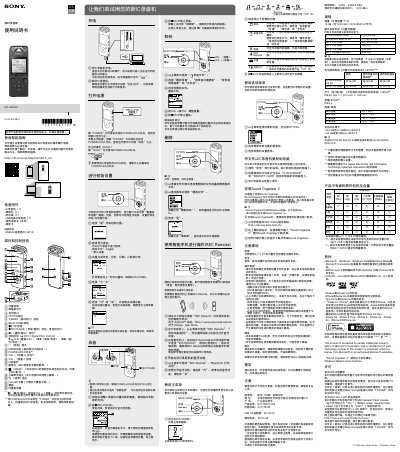
Sony ICD-SX2000 is a digital voice recorder (IC recorder). This Chinese-language user manual explains basic operation, including charging, power, initial setup, recording, playback, track marks, deletion, and menu use.
It also describes smartphone control with REC Remote, copying files to a computer, installing Sound Organizer 2, precautions, warnings, and product specifications such as capacity, recording time, battery life, dimensions, weight, temperature and humidity, and supported memory cards. This manual is written in Chinese.
| Maximum recording time (built-in memory) | LPCM 96 kHz/24 bit: 6 hr 35 min; LPCM 44.1 kHz/16 bit: 21 hr 35 min; MP3 320 kbps: 95 hr 25 min; MP3 192 kbps: 159 hr; MP3 128 kbps: 238 hr; MP3 48 kbps (MONO): 636 hr |
|---|---|
| Weight | About 98 g |
| Operating temperature and humidity | 5 C to 35 C; 25% to 75% |
| Storage temperature and humidity | -10 C to +45 C; 25% to 75% |
| Supported memory cards | microSDHC cards from 4 GB to 32 GB; microSDXC cards of 64 GB or larger |
Slide the USB slider and insert the USB connector into a running computer's USB port; the battery indicator shows full when charging is complete.
Adjust the built-in microphone toward the sound source, press REC/PAUSE, and press STOP to stop recording.
From the main menu select recording files, choose the desired file, adjust volume with VOL + or VOL -, and press STOP to stop playback.
Connect the recorder to the computer, drag files or folders from IC RECORDER or MEMORY CARD to the computer's local disk, then disconnect the recorder.