
This document is the user manual of Extech HD500 Heavy Duty Psychrometer + IR Thermometer, introducing the features and usage of the product.
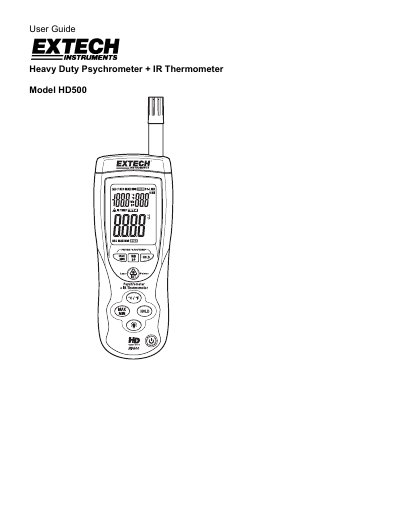
The Extech HD500 is a handheld heavy duty psychrometer and IR thermometer that measures and displays air temperature, relative humidity, dew point, wet bulb, and surface temperature using the built-in IR thermometer. It has a triple digital LCD display, Type K thermocouple input, laser pointer, backlight, USB interface, and auto power off.
The user guide explains basic measurements, non-contact IR surface temperature measurement, data hold, MIN/MAX recording, battery replacement, backlight, USB software, IR field of view and emissivity, and specifications. It also includes a thermal emissivity table and warranty information.
| Display | Dual display multi-function LCD with 9999 counts |
|---|---|
| Data Hold | Freezes displayed reading |
| Sampling rate | 1 reading per second |
| IR distance to spot ratio | 30:1 |
| IR spectral response | 6 to 14 µm |
| IR emissivity | 0.95 fixed |
| Auto Power Off | Automatic shut off after 15 minutes; can be disabled |
| PC Interface | USB |
| Power supply | 9V battery |
| Weight | 12.5 oz. (355g) |
| Dimensions | 10.1 x 3.0 x 2 in (257 x 76 x 53 mm) |
| IR temperature range | -4 to 932°F (-20 to 500°C) |
| Air temperature range | -4 to 140°F (-20 to 60°C) |
It measures and displays air temperature, relative humidity, dew point, wet bulb, and surface temperature using the built-in IR thermometer.
Point the sensor toward the surface, then press and hold the IRT button; the laser pointer turns on to help aim.
Hold the IRT button while turning the meter on; when “disAPO” appears, release the IRT button.
It uses a 9V battery; replace it when the battery icon appears.