
This document is the user guide for Si536x-A-EVB evaluation board, which introduces the features and usage of the board.
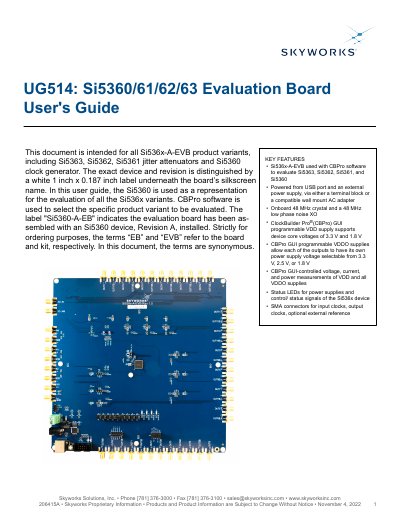
This document provides instructions for using the Si536x-A-EVB evaluation board to test Skyworks Si5360, Si5361, Si5362, and Si5363 clock devices. It covers setup, jumper configurations, power connections, and using ClockBuilder Pro software for programming and monitoring. The board supports USB and external power, has onboard reference crystals, and allows configurable output voltages and status LEDs.
The guide includes quick start steps, detailed jumper settings, status LED functions, and instructions for using the CBPro GUI to monitor device status, voltage regulators, and API commands. It also references the board’s schematic, BOM, and revision history for technical reference.
| Supported Devices | Si5360, Si5361, Si5362, Si5363 |
|---|---|
| Power Supply | USB port and external power supply via terminal block or wall mount AC adapter |
| Onboard Reference | 48 MHz crystal or 48 MHz low phase noise XO |
| Voltage Supplies | VDD core voltages: 3.3 V and 1.8 V; VDDO output voltages: 3.3 V, 2.5 V, or 1.8 V |
| Control Software | ClockBuilder Pro (CBPro) GUI |
It supports Si5360, Si5361, Si5362, and Si5363 clock devices.
It can be powered via USB or an external 5V supply using a terminal block or wall adapter.
ClockBuilder Pro (CBPro) software is required for programming and monitoring.
It includes an onboard 48 MHz crystal or a 48 MHz low phase noise XO.