
This is a user manual for an electronic product, which introduces the product's features and characteristics and usage methods
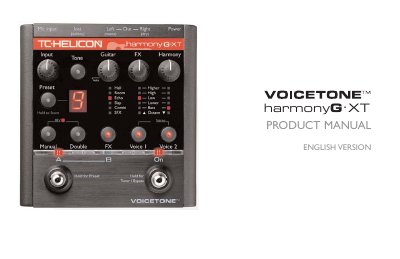
The Harmony G.XT is a vocal harmony processor designed for singers who want high-quality live vocal production. It features harmony voices that follow guitar playing, vocal doubling, reverb, and delay effects. The manual guides users through setup, preset loading, mixing, and troubleshooting common issues.
The device connects via mic and guitar inputs, and includes controls for harmony level, FX, and guitar volume. It supports XLR mic input/output, clean mic preamp with phantom power, and can be used with or without guitar effects. Advanced features include preset editing, alternate tone settings, and external mixing options.
Turn up the volume control on your guitar. Confirm your guitar cable is good by connecting your guitar directly to your amp. Remove any guitar effect pedals between your guitar and Harmony-G XT’s input. Ensure that you are playing guitar chords made up of at least a root note and a major or minor third. Ensure the Manual button is off.
Adjust the Guitar level control so that it is in the range above the Auto position.
You’re likely set to the Off FX style. Press the FX button to activate and cycle through the FX styles.
Hold the On footswitch to enter Bypass/Tuner mode.