
Key facts
- Manuals
- 8
- Languages
- EN
- Last added
- 2026-11-05
Featured TC-Helicon manuals
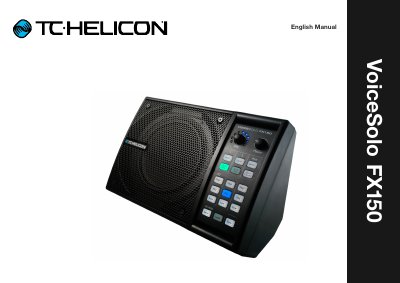
TC-Helicon VoiceSolo FX150 User Manual
This manual provides setup guidance and connection diagrams for the TC-Helicon VoiceSolo FX150, a personal stage monitor for live vocal performance. It covers safety instructions, input/output connections, and various performance scenarios including solo singers, guitarists, and band setups. The guide also explains how to use the device with or without TC-Helicon vocal processors and third-party gear.
The manual includes technical specifications, diagrams for different connection types (XLR, ¼"), and explanations of controls and monitoring options. It also covers safety precautions, EMC compliance, and how to get support or register the device.
Covers: Important safety instructions · Set up – aka “Where do I put this thing?” · Connecting – aka “Exploring the ins and outs” · Controls – aka “Pushing buttons” · Technical Specifications · Show me how!
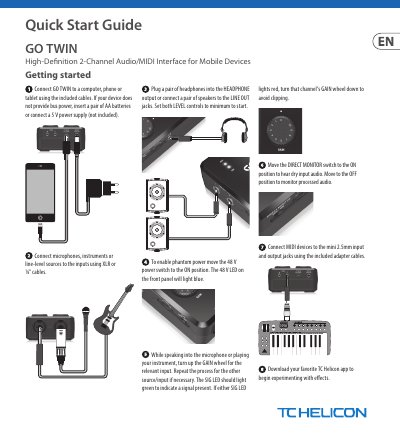
TC Helicon GO TWIN High-Definition 2-Channel Audio/MIDI Interface User Manual
This user manual guides users through connecting and operating the TC Helicon GO TWIN interface with mobile devices or computers. It details input/output connections, gain and phantom power controls, and MIDI setup. The document also includes technical specifications and FCC compliance information.
The interface supports both analog and digital connections, with XLR and 1/4" inputs, headphone and line outputs, and USB connectivity. It includes 2 x AA batteries or a 5V power supply for operation. The manual provides troubleshooting tips for signal clipping and interference issues.
Covers: Connectivity Setup · Input/Output Connections · Gain and Phantom Power Controls · MIDI Connections · Technical Specifications · FCC Compliance Information
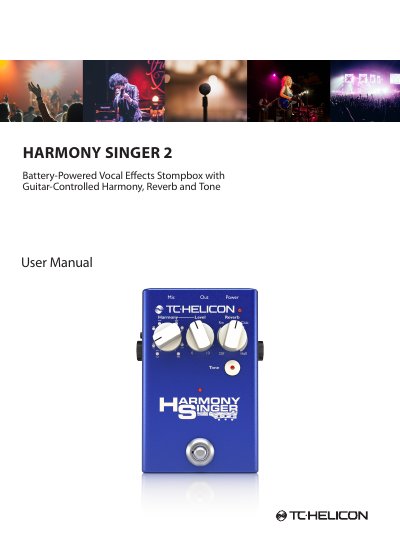
TC Helicon Harmony Singer 2 Vocal Effects Stompbox User Manual
The TC Helicon Harmony Singer 2 is a battery-powered vocal effects stompbox featuring guitar-controlled harmony, reverb, and tone processing. It includes controls for selecting harmony intervals, adjusting reverb types, and engaging adaptive EQ and compression via a Tone button. The unit supports both latching and momentary footswitch modes and can be controlled via an MP-75 microphone.
Covers: Important Safety Instructions · Controls · Operation · Using the Harmony Knob · Momentary Mode · Changing the Batteries
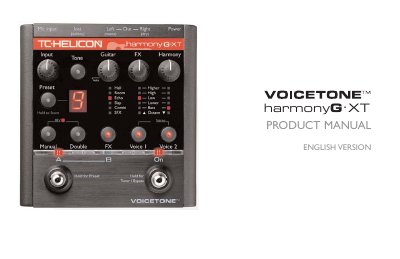
TC-Helicon Harmony G.XT User Manual
The Harmony G.XT is a vocal harmony processor designed for singers who want high-quality live vocal production. It features harmony voices that follow guitar playing, vocal doubling, reverb, and delay effects. The manual guides users through setup, preset loading, mixing, and troubleshooting common issues.
The device connects via mic and guitar inputs, and includes controls for harmony level, FX, and guitar volume. It supports XLR mic input/output, clean mic preamp with phantom power, and can be used with or without guitar effects. Advanced features include preset editing, alternate tone settings, and external mixing options.
Covers: QuickStart · Typical Setups · Front Panel Diagram · Back Panel Diagram · Getting To Know Harmony-G XT · Loading Presets
Latest TC-Helicon manuals
TC-Helicon VoiceSolo FX150 User Manual
User Manual 41 pages · 8.5 MB · ENUser guide for TC-Helicon VoiceSolo FX150, covering setup, connections, safety, and usage scenarios for live vocal monitoring.
TC Helicon GO TWIN High-Definition 2-Channel Audio/MIDI Interface User Manual
User Manual 2 pages · 1.5 MB · ENUser manual for TC Helicon's GO TWIN audio/MIDI interface, covering setup, operation, specs, and compliance.
TC Helicon Harmony Singer 2 Vocal Effects Stompbox User Manual
User Manual 7 pages · 1.7 MB · ENUser manual for the TC Helicon Harmony Singer 2, covering safety, controls, operation, and technical specifications for the battery-powered vocal effects pedal.
TC-Helicon Harmony G.XT User Manual
User Manual 29 pages · 307 KB · ENUser manual for TC-Helicon's Harmony G.XT vocal harmony processor, covering setup, presets, mixing, and troubleshooting.
TC-Helicon GO XLR MINI Online Broadcast Mixer Quick Start Guide
User Manual 2 pages · 1.8 MB · ENQuick Start Guide for the TC-Helicon GO XLR MINI online broadcast mixer, covering setup, connections, and app configuration.
TC-Helicon VoiceLive Play GTX User Manual
User Manual 39 pages · 739 KB · ENOfficial user manual for the TC-Helicon VoiceLive Play GTX vocal effects processor, covering connection, setup, and operation.
TC-Helicon Play Acoustic User Manual
User Manual 75 pages · 6.3 MB · ENComprehensive user guide for the TC-Helicon Play Acoustic effects processor, covering safety, setup, effects, mixing, looping, and troubleshooting.
TC-Helicon VoiceSupport 2 Reference Manual
User Manual 27 pages · 1.1 MB · ENThis reference manual covers the installation, interface navigation, and usage of TC-Helicon's VoiceSupport 2 software for managing presets and updating…
Which document do I need?
User Manual
Day-to-day operation, settings and troubleshooting. Start here if the product is already set up.
Questions answered in TC-Helicon manuals
How do I connect the VoiceSolo FX150 to a mixer or PA system?
Connect the input sources (microphone, guitar) to the left side of the back panel and downstream devices (mixer, speakers) to the right. Use XLR or ¼" cables as needed.
What safety precautions should I follow?
Do not use near water, avoid blocking ventilation, do not defeat safety plugs, protect power cords, and unplug during lightning or long periods of inactivity.
How do I power the GO TWIN?
Use USB bus power, a 5V DC power supply, or insert 2 x AA batteries.
From: TC Helicon GO TWIN High-Definition 2-Channel Audio/MIDI Interface User Manual
How do I enable phantom power?
Move the 48 V power switch to the ON position; the 48 V LED will light blue.
From: TC Helicon GO TWIN High-Definition 2-Channel Audio/MIDI Interface User Manual
How do I switch the Harmony Singer 2 to momentary mode?
Hold the Tone button down while powering the unit on. Repeat the process to return to latching mode.
From: TC Helicon Harmony Singer 2 Vocal Effects Stompbox User Manual
Does the Harmony Singer 2 provide phantom power?
Yes, 24 V phantom power is always active on the unit to power condenser microphones.
From: TC Helicon Harmony Singer 2 Vocal Effects Stompbox User Manual