
Panasonic DC-TZ220/DC-ZS220 Digital Camera User Manual

This is a product manual for a digital camera
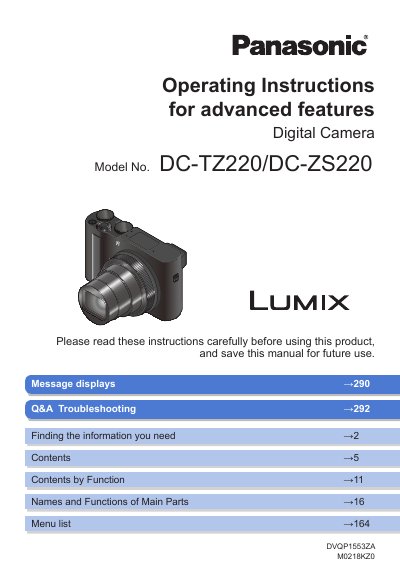

Panasonic DC-TZ220/DC-ZS220 Digital Camera User Manual - cover page
Brand
Panasonic
Category
Digital cameras
Document type
User Manual
Language
English
Pages
308
File format
PDF
File size
10 MB
Published
21 October, 2023
Updated
21 October, 2023
MD5 checksum
24C8185BA345A9A839D1F7EED66DBC88

About this manual

This manual provides detailed instructions for operating the Panasonic DC-TZ220/DC-ZS220 digital camera, including setup, menu configuration, recording modes, and playback features. It covers advanced functions such as 4K Photo, Creative Control, and Time Lapse Shot. The guide also explains how to use touch controls, focus settings, and Wi-Fi connectivity.

The manual is organized by topic, with sections on camera basics, recording modes, playback, and troubleshooting. It includes diagrams and step-by-step instructions for setting up the camera, adjusting exposure, using the zoom lever, and managing menus. It also contains information on accessories, battery charging, and usage cautions.

What's inside

  • Before Use
  • Names and Functions of Main Parts
  • Menu List
  • Recording Mode Icons
  • Taking Pictures with Automatic Settings
  • Focus, Brightness and Colour Tone Settings
  • Taking Pictures While Adjusting a Setting Automatically
  • Stabiliser, Zoom and Flash
  • Recording Motion Picture/4K Motion Picture
  • Playing Back and Editing Pictures

Frequently asked questions

What is the model number of this camera?

The model number is DC-TZ220/DC-ZS220.

How do you change a menu setting in the camera?

Steps are described as: [ENT] — [Rec] — [Quality] — [ee].

What does the [DISP] button do?

The [DISP] button is used for switching the display information.

Download PDF (10 MB)

More Panasonic Manuals


View all Panasonic manuals →