
The FDNA-01 is an option for ABB drives, converters and inverters to connect them to a DeviceNet network. This user manual provides instructions for installing and using the FDNA-01.
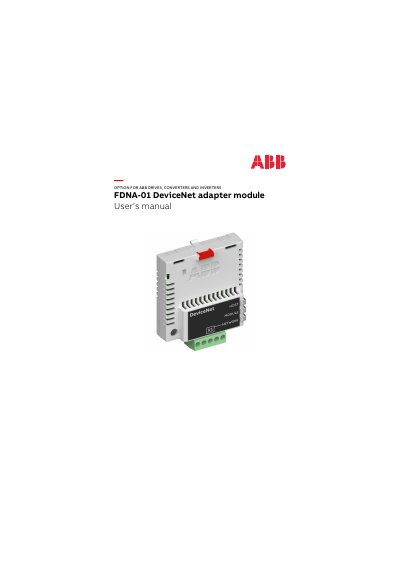
The FDNA-01 is an optional module designed for ABB drives, converters, and inverters to enable DeviceNet communication. It acts as a Group 2 only Server realizing the Predefined Master Slave Connection Set functionality and supports the ODVA AC/DC drive Functional Profile with additional features. The module includes three bicolor LEDs for status indication and connects via a 20-pin connector to the drive and a removable 5-pole screw type connector for the bus.
| Mounting location | Into the option slot of the drive |
|---|---|
| Degree of protection | IP20 |
| Indicators | Three bicolor LEDs (HOST, MODULE, NETWORK) |
| Drive connector | 20-pin connector |
| Bus connector | Removable 5-pole screw type connector |
The module realizes the ODVA AC/DC drive Functional Profile with additional features.
The Off-line Connection Set functionality and Unconnected Message Manager (UCMM) are not supported.
You can find manuals and other product documents in PDF format on the Internet at abb.com/drives/documents.