
This is a user manual on how to view the syllabus in Kobe University
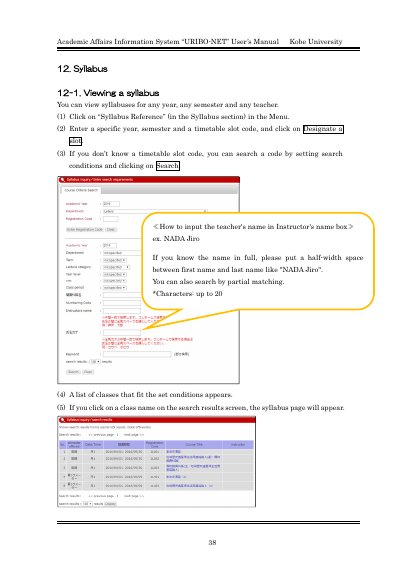
This manual explains how to view, print, and register syllabi using Kobe University's Academic Affairs Information System, URIBO-NET. Users can search for syllabi by year, semester, and timetable slot, or by instructor name. Printing requires Adobe Reader. Registration is limited to designated periods and includes options for creating or importing syllabi with language, formatting, and content specifications. Automatic saving is enabled during creation sessions.
Click on 'Syllabus Reference' in the Menu, enter year, semester, and timetable slot code, then click 'Designate a slot'.
Adobe® ReaderTM is required to view and print PDF syllabi.
Access 'Syllabus Registration' in the Menu, create or import syllabus content, then click 'Finalize' to save.