
This is a user manual that introduces how to use a course registration system called URIBO-NET.
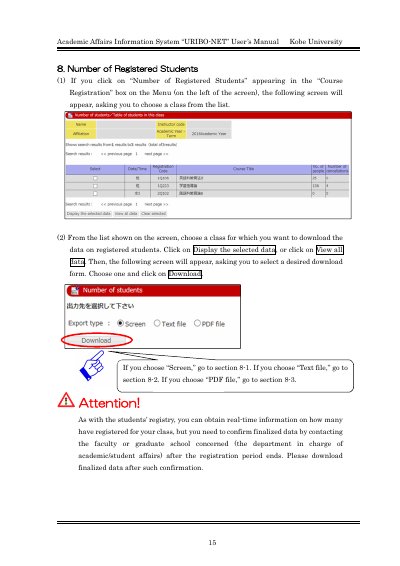
This document serves as the user manual for the Academic Affairs Information System known as URIBO-NET at Kobe University. It provides instructions for accessing specific data regarding the number of registered students within the Course Registration module.
The guide details three distinct methods for downloading student registration data: viewing the data directly on the screen, exporting it as a text file compatible with Excel, or downloading it as a PDF file. Users are advised to confirm finalized data with the relevant faculty or graduate school before downloading.
You must confirm finalized data by contacting the faculty or graduate school concerned after the registration period ends, then download it.
Viewing a PDF file requires Adobe® ReaderTM to be installed in your computer.