
This is a user manual that introduces the usage of the URIBO-NET information system
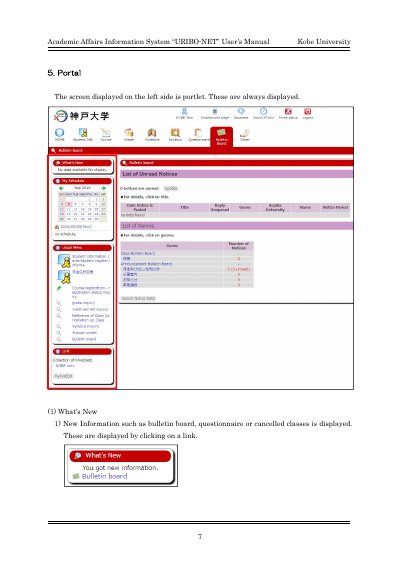
This document is the User's Manual for the Academic Affairs Information System known as URIBO-NET, developed for Kobe University. It provides instructions for navigating the system's interface, which includes portlets for displaying new information and managing schedules.
The guide details specific functions such as viewing the 'What's New' section for bulletin boards and class updates, managing the 'My Schedule' calendar, and accessing the 'Usual Menu' set by administrators. It also covers how users can register personal links via the 'MylinkEdit' button.
This section displays new information such as bulletin boards, questionnaires, or cancelled classes.
You must click the specific date under the calendar to display the detail of the schedule.
You can register a link just for yourself by clicking the MylinkEdit button.