
This is a user manual for URIBO-NET, an academic affairs information system used at Kobe University. It provides information on how to register for classes, view your schedule, and contact the university.
This manual explains how to register for classes and manage your schedule using the URIBO-NET system at Kobe University. It covers steps like entering contact information, selecting courses, and handling registration errors. Users are instructed to confirm their schedule against a printed list before finalizing registration.
The system also allows downloading a PDF of registered classes and includes troubleshooting for technical errors during registration, such as course designation issues or lottery-based class restrictions.
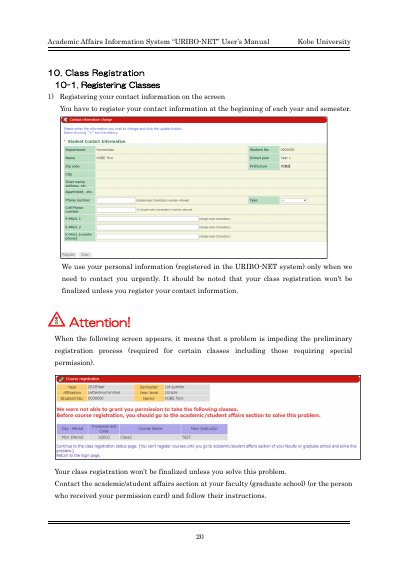
Your class registration won’t be finalized unless you register your contact information.
Click on 'Unregistered' on the Course Registration page, enter a timetable slot code, and click the button to register.
Confirm the reason for the error. For example, if the course is out of designation or you cannot register lottery-based classes, contact the academic/student affairs section.