
This manual introduces the basic use of OPPO mobile phone, including the basic function introduction, as well as the operation guide of common functions.
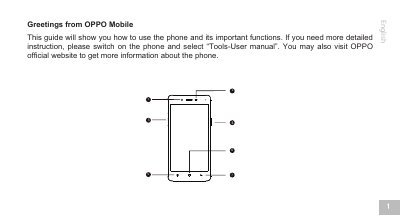
This user manual guides users on how to use the OPPO A51f mobile phone and its important functions. It details the functions of key components such as the Home Key, Power button, Volume button, and sensors like the Infrared and Light sensors. The guide also explains how to access the built-in User manual application for more detailed instructions.
| Screen size | 5.0 inch |
|---|---|
| Rear Camera | 8-Megapixel |
| Front Camera | 5-Megapixel |
| Battery Capacity | 2420 mAh |
| Weight | 5.64 ounces (160 grams) |
Press the home key to run the app in background when it is running, or press it to return to the home screen from other pages.
The phone has a 5.0 inch screen.
The phone weighs 5.64 ounces (160 grams).
The phone has a 2420 mAh battery.