
S40-PH-x-M03 manual control switch
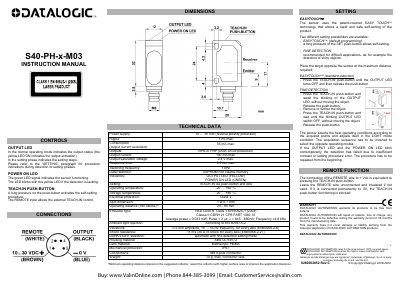
The Datalogic S40-PH-x-M03 is a proximity sensor featuring NPN or PNP outputs with short-circuit protection. It includes indicators for output status and sensor functioning, along with a teach-in push-button for self-setting procedures. The device operates on a 10 to 30 Vdc power supply and features an M8 4-pole connector.
| Power supply | 10 … 30 Vdc |
|---|---|
| Ripple | 10% max |
| Consumption | 35 mA max |
| Output current | 100 mA max |
| Output saturation voltage | 2.4 V max |
| Response time | 0.5 ms max |
| Switching frequency | 1 kHz |
| Operating temperature | -20 … +60 °C |
| Storage temperature | -20 … +80 °C |
| Connections | M8 4-pole connector |
| Weight | 10 g. max |
The yellow LED indicates the output status in normal operating mode and the setting steps during detection or setting phases.
The green LED signal indicates the sensor functioning and blinks with the yellow LED if detection is lacking.
A long pressure on the teach-in push-button activates the self-setting procedure, or it can be controlled remotely via the REMOTE input.
Datalogic Automation warrants the product for 36 months from the manufacturing date, covering defects but not improper application.