
Kyocera ECOSYS P3155dn P3150dn P3145dn Operation Guide

This is an operation guide for Kyocera ECOSYS P3155dn ECOSYS P3150dn ECOSYS P3145dn, which introduces the features and characteristics of the product, how to use it and precautions
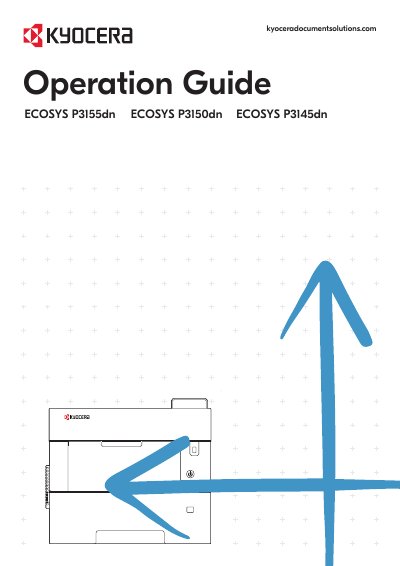

Kyocera ECOSYS P3155dn P3150dn P3145dn Operation Guide - cover page
Brand
Kyocera
Category
Printer
Document type
User Manual
Language
English
Pages
286
File format
PDF
File size
8.1 MB
Published
17 October, 2023
Updated
17 October, 2023
Model
P3155dn
MD5 checksum
CB338C65F6E2D46C3BBAA44A58957F29

About this manual

This document serves as the official Operation Guide for the Kyocera ECOSYS P3155dn, ECOSYS P3150dn, and ECOSYS P3145dn machines. It is intended to help users operate the machine correctly, perform routine maintenance, and take simple troubleshooting measures to ensure the device remains in optimum condition. The guide includes instructions on using genuine Kyocera toner containers and checking the equipment's serial number.

What's inside

  • Preface
  • Legal and Safety Information
  • Installing and Setting up the Machine
  • Using the Operation Panel
  • Printing from PC
  • Using Various Functions
  • Status/Job Cancel
  • Setup and Registration
  • User Authentication and Accounting
  • Troubleshooting

Frequently asked questions

What is the purpose of the Custom Box feature?

You can save the frequently used document in the machine and print it when needed.

What does the Energy Saver function do?

The machine is equipped with Energy Saver function that automatically switched into Sleep Mode.

What is the purpose of the EcoPrint function?

You can save toner consumption with this function.

How can you log in to the machine using an ID card?

You can log in simply by touching an ID card. You don't need to enter your user name and password.

Download PDF (8.1 MB)

More Kyocera Manuals


View all Kyocera manuals →