
This document is an instruction manual for the Celestron Pocket Weather Meter 48006.
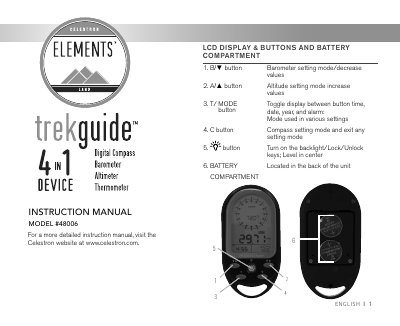
The document serves as an instruction manual for the Celestron Pocket Weather Meter (Model #48006). It details the device's features, including an LCD display with backlight, buttons for navigation and settings, and a battery compartment. The guide explains how to install CR2032 batteries and navigate between modes such as Clock, Date, Year, Alarm, Altimeter, Barometer, Compass, and Temperature.
The display will return to the previous mode if no button is pressed for 15 seconds.
The alarm will automatically stop after 2 minutes if no button is pressed for 15 seconds.
Press the button to turn the backlight on for 5 seconds.