
Honeywell RTH5160 Series Non-Programmable Thermostat Quick Installation Guide

This is a quick installation guide for the RTH5160 series non-programmable thermostat
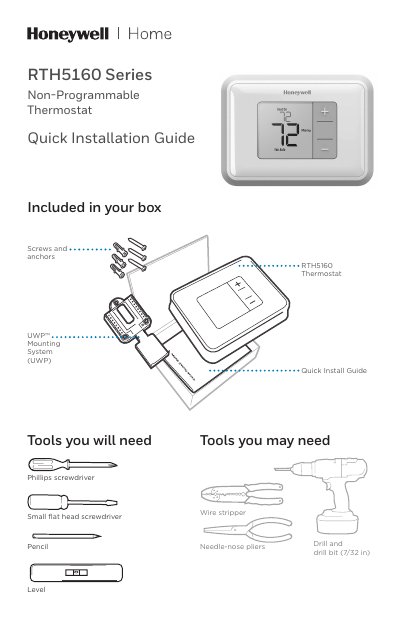

Honeywell RTH5160 Series Non-Programmable Thermostat Quick Installation Guide - cover page
Brand
Honeywell
Category
Other
Document type
Quick Start Guide
Language
English
Pages
32
File format
PDF
File size
4.7 MB
Published
16 October, 2023
Updated
16 October, 2023
MD5 checksum
B287411D761ACFFFE9ED0D013F7B8093

About this manual

This document serves as a Quick Installation Guide for the Honeywell RTH5160 Series Non-Programmable Thermostat. It details the necessary tools, safety precautions regarding line voltage, and the step-by-step process for removing an existing unit and mounting the new one. The guide includes specific instructions for wiring connections, including handling R-wires and identifying terminal labels.

What's inside

  • Included in your box
  • Tools you will need
  • Removing your old thermostat
  • Take a picture of your wiring
  • Disconnect the wires
  • Installing your RTH5160 thermostat
  • Insert the wall anchors
  • Set R-switch position
  • Connect remaining wires
  • Mount the UWP

Frequently asked questions

How do I verify the power is off before starting?

Turn off the power at the breaker box or switch, then change the temperature on the old thermostat; if the system does not turn on within 5 minutes, the power is off.

Does the RTH5160 thermostat support LAA, S, or U terminals?

No, the RTH5160 thermostat does not support LAA, S, or U terminals.

What type of batteries are required?

The thermostat requires two AA alkaline batteries.

Download PDF (4.7 MB)

More Honeywell Manuals


View all Honeywell manuals →