
This manual introduces the X2™ irrigation controller quick start and programming guide. The controller's date and time must be set for automatic irrigation.
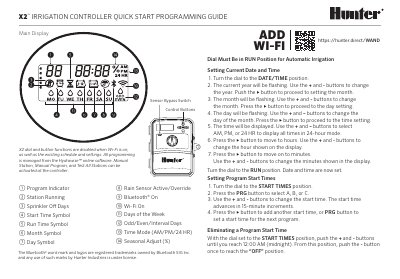
This document serves as a quick start programming guide for the Hunter X2 irrigation controller. It provides step-by-step instructions for setting the current date and time, configuring program start times, and adjusting station run times. The guide also explains how to select water days, including odd/even and interval watering options, and how to utilize seasonal adjustments and manual stations.
| Station Run Time Range | 1 minute to 6 hours |
|---|---|
| Start Time Increments | 15-minute increments |
| Programs Available | A, B, or C |
With the dial set to the START TIMES position, push the + and - buttons until you reach 12:00 AM (midnight), then push the - button once to reach the OFF position.
An ERR display with a number indicates a short in field wiring or a bad solenoid, while P ERR indicates a short in Pump/Master Valve wiring.