
Key facts
- Manuals
- 5
- Languages
- ZH
- Last added
- 2026-10-03
Featured Hunter manuals
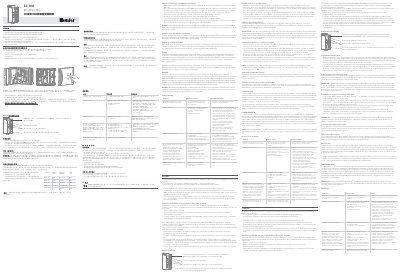
Hunter RC-101 IG 11/18 EZ-DM Decoder System User Manual
The EZ‑DM RC‑101 IG 11/18 decoder system provides a two‑wire output option for Hunter ICC2 and HCC irrigation controllers. It supports up to 54 stations and can be combined with traditional multi‑wire modules for hybrid operation.
The manual explains how to install the module in the controller, program station numbers, connect the two‑wire loop, use the P/MV jumper when needed, and troubleshoot common errors such as Err messages, duplicate station numbers, and wiring faults. This manual is written in Chinese.
Covers: Installation · Programming · Wiring Requirements · Two‑Wire Loop Design · P/MV Jumper Connection · Technical Specifications
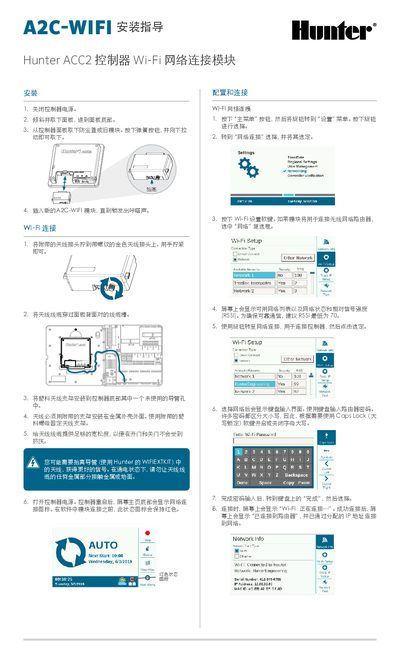
Hunter ACC2 Controller A2C-WIFI Module Installation Guide
This guide walks you through the physical installation of the A2C‑WIFI module, including power‑off, panel removal, antenna mounting, and securing the new module. After installation, the controller is powered on and the Wi‑Fi status icon indicates connection readiness.
The document then details Wi‑Fi network configuration, software setup, direct‑connect mode, and troubleshooting tools such as the network test function. Regulatory compliance information for EU and FCC standards is also provided. This manual is written in Chinese.
Covers: Installation · Wi‑Fi Connection · Network Configuration · Software Setup · Direct Connection · Troubleshooting
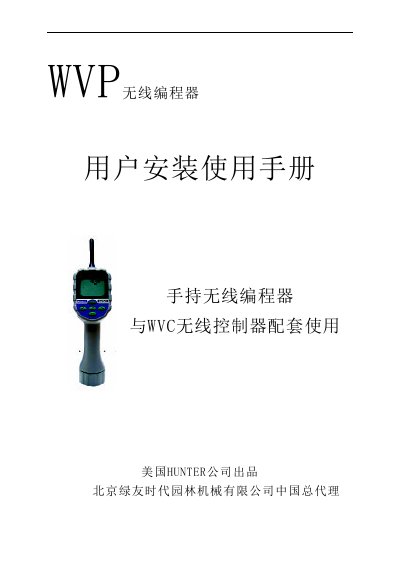
Hunter WVP Wireless Programming User Manual
The WVP wireless programming unit is a handheld controller that communicates with WWC control devices up to 30 m away. It uses a 9 V sulfur battery that can last at least one year and features a large LCD display showing program and status information.
The manual provides step‑by‑step installation of the battery, detailed instructions for setting dates, times, program cycles, and how to use the send/receive keys for programming and communication with the WWC controller. It also includes troubleshooting tips for signal conflicts and battery replacement. This manual is written in Chinese.
Covers: Introduction · Features · LCD Display · Battery Installation · Programming Settings · Communication Procedure
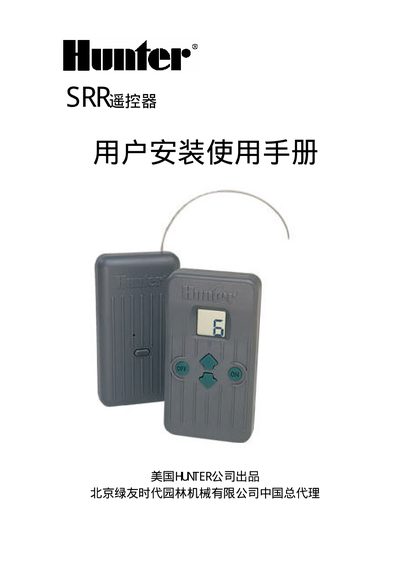
Hunter SRR Remote Installation Guide
This guide explains how to install and use the Hunter SRR remote system, which works with SRC, ICC and Pro‑C controllers. It covers the components of the SRR transmitter and receiver, the SmartPort™ interface, and the procedures for wiring, battery installation, and configuring address codes and site numbers.
The manual also includes tips for achieving the maximum 135 m remote range, troubleshooting advice, and performance specifications such as address code range, supported stations, run‑time settings, and power requirements. This manual is written in Chinese.
Covers: 简介与安装说明 · SRR遥控器组成 · 连接智能接口(SmartPort™) · 典型安装 · 获得最大的遥控距离 · 延长智能接口(SmartPort™)的连接线
Latest Hunter manuals
Hunter RC-101 IG 11/18 EZ-DM Decoder System User Manual
User Manual 1 pages · 1.4 MB · ZHInstallation, programming, wiring and troubleshooting guide for the Hunter EZ‑DM RC‑101 IG 11/18 decoder system.
Hunter ACC2 Controller A2C-WIFI Module Installation Guide
Installation Guide 2 pages · 1.2 MB · ZHStep‑by‑step instructions for installing and configuring the A2C‑WIFI Wi‑Fi module on a Hunter ACC2 controller.
HUNTER TC3500 Tire Changer OPERATION INSTRUCTIONS
This operation manual provides detailed operating instructions for the TC3500 tire changer.
Hunter WVP Wireless Programming User Manual
User Manual 12 pages · 84 KB · ZHThe Hunter WVP wireless programming device manual explains installation, operation, programming and troubleshooting.
Hunter SRR Remote Installation Guide
Installation Guide 12 pages · 319 KB · ZHThe Hunter SRR remote installation guide provides step‑by‑step instructions for setting up the transmitter, receiver, and SmartPort interface.
Which document do I need?
User Manual
Day-to-day operation, settings and troubleshooting. Start here if the product is already set up.
Installation Guide
Mounting, wiring and first power-up. Read it before the hardware goes in.
Questions answered in Hunter manuals
How many stations can the EZ‑DM system support?
The system can operate up to 54 stations when all modules are installed.
From: Hunter RC-101 IG 11/18 EZ-DM Decoder System User Manual
What is the output voltage of the EZ‑DM decoder line?
The decoder line provides 24 VAC at 50/60 Hz, and voltage appears only when a station is active.
From: Hunter RC-101 IG 11/18 EZ-DM Decoder System User Manual
How do I install the A2C‑WIFI module?
Turn off the controller, remove the panel, take out the old module, then insert the new A2C‑WIFI module until you hear a click.
From: Hunter ACC2 Controller A2C-WIFI Module Installation Guide
How do I configure the Wi‑Fi network on the controller?
Open the Settings menu, select Network Connection, press the Wi‑Fi setup soft key, choose a network from the list, and enter the router password.
From: Hunter ACC2 Controller A2C-WIFI Module Installation Guide
What type of battery does the WVP use?
The device is powered by a 9 V sulfur battery.
What is the maximum remote distance of the SRR system?
The SRR system is specified for a maximum remote distance of 135 meters under optimal conditions.