
This manual describes the installation and operation of the EMC-1 Ethernet-Meterbus Converter, including installation, configuration, connections, operation, and troubleshooting.
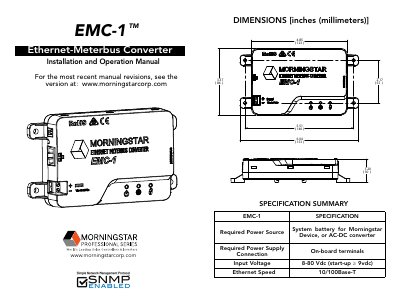
The EMC-1 is an Ethernet gateway that bridges TCP/IP connections to Morningstar devices lacking built-in Ethernet connectivity. It supports communication with various Morningstar products via Modbus IP and local web pages, enabling monitoring through LiveView and MSView software.
Installation involves wall or DIN rail mounting, connecting power wires (8-80 Vdc), and establishing data links using RJ-45 for Ethernet and RJ-11 for Meterbus. The unit features DIP switches for configuration and status LEDs to indicate connection states and faults.
| Input Voltage | 8-80 Vdc (start-up > 9V) |
|---|---|
| Ethernet Speed | 10/100Base-T |
| Communications Protocols | Morningstar MeterBus; MODBUS TCP/IP; SNMP |
The unit's default IP address is 192.168.1.253.
The unit requires a power supply with an input voltage between 8 and 80 Vdc.
The default IP address for the unit is 192.168.1.253.