
How to Install QuickView Expander
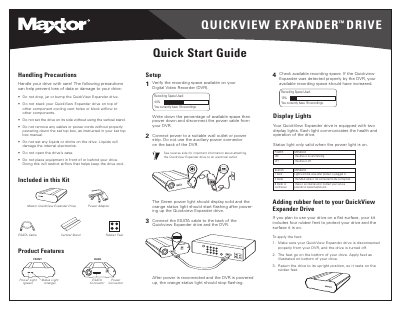
This document is a Quick Start Guide for the Maxtor QuickView Expander Drive, an external storage device designed to expand recording space on Digital Video Recorders (DVRs). It outlines handling precautions, lists included kit components, and provides step-by-step instructions for connecting the drive to a DVR via an eSATA cable and a separate power adapter.
The guide also explains the function of the drive's status lights (Power and Status) and includes troubleshooting steps for common issues like cable disconnection or internal errors. It emphasizes that the drive must be powered directly from a wall outlet or power strip, not from the auxiliary power outlet on the DVR, and notes that the device is not compatible with personal computers.
| Compatible Device | Digital Video Recorder (DVR) |
|---|---|
| Interface | eSATA |
| Power Source | Wall outlet or power strip |
| Maximum DVRs | One |
The green power light indicates the drive is on, while the orange status light flashes once on startup, stops when connected, or blinks 8 times continuously if there is an internal error.
No, the QuickView Expander is not designed to operate with a personal computer.