
This manual introduces FrSky XJT telemetry module's operation methods, including module's specifications, functions, binding methods and more
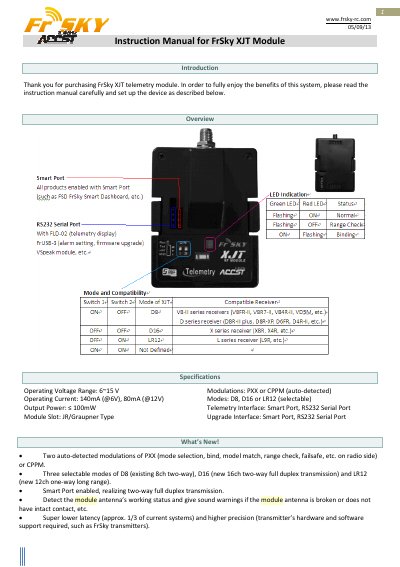
The FrSky XJT Module is a 2.4GHz telemetry device featuring Smart Port and RS232 Serial Port interfaces. It supports multiple operating modes including D8, D16, and LR12, with auto-detected modulations of PXX or CPPM. The module includes LED indicators for status, antenna health, and range checks.
| Operating Voltage Range | 6-15 V |
|---|---|
| Operating Current | 140mA (@6V), 80mA (@12V) |
| Output Power | < 100mW |
| Modulations | PXX or CPPM |
| Modes | D8, D16 or LR12 |
| Telemetry Interface | Smart Port, RS232 Serial Port |
The module supports D8, D16, or LR12 modes, which are selectable by the user.
Press the F/S button on the XJT module for 4 seconds to enter range check mode, then walk away from the model while operating controls.
A constant triple beep means the model is in near maximum range.