
This document provides instructions and precautions for using the HP Officejet 8500A (A910n-z) A910 printer.
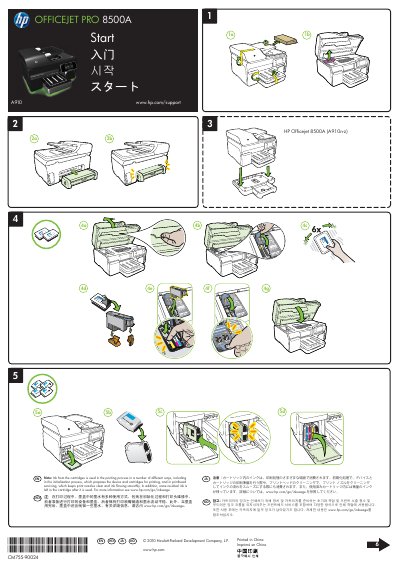
This document serves as a quick reference user guide for the HP Officejet Pro 8500A printer. It provides essential steps for initial setup, including connecting via USB or wireless networks, installing necessary software on Windows and Mac OS X systems, and registering the product online for support alerts.
The guide also addresses specific installation notes regarding ink usage during initialization and printhead servicing. Additionally, it directs users to separate guides for detailed instructions on setting up fax features and wireless connections.
You can download the HP software from HP's support Web site at www.hp.com/support.
You can register later at http://www.register.hp.com if you did not register during installation.