
TF428WNS and TF428WNS/U digital thermostats are control devices used in fan coil systems, capable of controlling the on/off of three-speed fans and valves. They feature timed shutdown, timed cycle, and random startup functions, enabling precise room temperature control and energy savings.
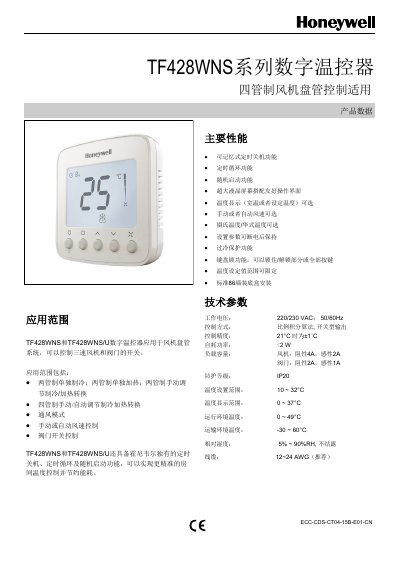
The Honeywell TF428WNS and TF428WNS/U digital thermostats are designed for use in fan coil unit systems. They control three-speed fans and valve switching, supporting various modes including two-pipe heating/cooling, four-pipe manual/auto regulation, ventilation, and temperature compensation. Key features include programmable shutdown timers, random start functions, keyboard lockout, and a large LCD display with selectable Celsius or Fahrenheit units. This manual is written in Chinese.
| Operating Voltage | 220/230 VAC; 50/60Hz |
|---|---|
| Control Accuracy | ±1°C at 21°C |
| Power Consumption | < 2 W |
| Fan Load Capacity (Resistive) | 4A |
| Valve Load Capacity (Resistive) | 2A |
| Temperature Setting Range | 10 ~ 32 °C |
| Operating Environment Temperature | 0 ~ 49 °C |
The default value for heating mode is 4 times per hour.
Yes, it supports manual or automatic adjustment of heating and cooling conversion for four-pipe systems.
Press and hold the 'Mode' and 'Up' keys together for more than 3 seconds to enter or exit the local settings interface.