
FL-C60D is a portable spotlight with a color temperature range of 2700K-8000K and a brightness adjustment range of 0%-100%. It has a maximum illumination of 25000Lux@1m and a half-peak beam angle of 15º. The light supports a working voltage of DC 11-36V and has an output power of approximately 60W. It has a compact and lightweight design, weighing about 2.1kg.
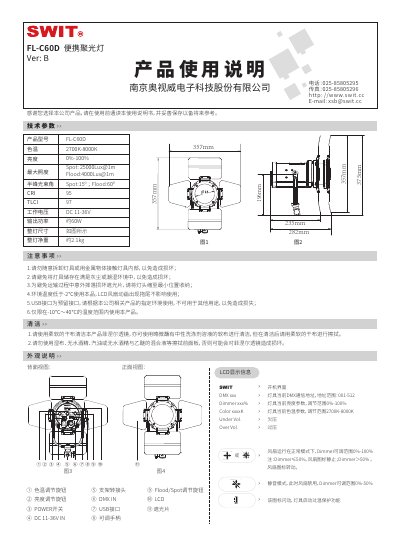
This document is the user manual for the SWIT FL-C60D portable spotlight. It provides instructions on installation, power supply options (battery or adapter), and operation of the device's controls for brightness, color temperature, and beam angle adjustment. The manual also details the DMX communication settings and fan operation modes. This manual is written in Chinese.
| Color Temperature | 2700K-8000K |
|---|---|
| Brightness Range | 0%-100% |
| Max Illuminance (Spot) | 25000Lux@1m |
| Max Illuminance (Flood) | 4000Lux@1m |
| Spot Beam Angle | 15º |
| Flood Beam Angle | 60º |
| Operating Temperature | -10℃~40℃ |
The product should only be used within a temperature range of -10℃ to 40℃.
Long press the color temperature adjustment knob for about 2 seconds to switch between Normal and Silent modes.
The device uses 3 DMX channels: the address N controls brightness, N+1 controls color temperature, and N+2 controls Flood/Spot.
Turn the Flood/Spot adjustment knob clockwise to change from Flood to Spot.