
Key facts
- Manuals
- 1
- Languages
- EN
- Last added
- 2026-10-03
Featured SWIT manuals
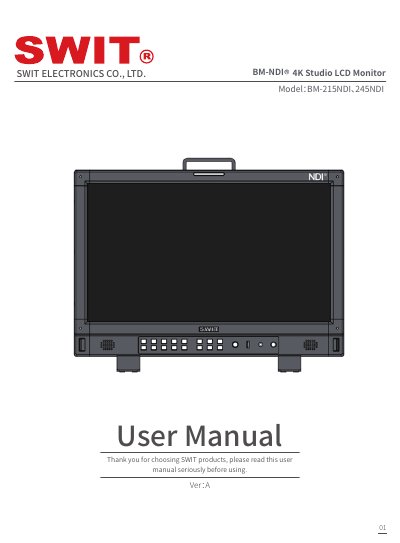
SWIT BM-215NDI & BM-245NDI 4K Studio LCD Monitor User Manual
This manual covers the installation, operation, and maintenance of the SWIT BM‑215NDI and BM‑245NDI 4K Studio LCD monitors. It includes detailed front‑panel and rear‑panel descriptions, menu navigation, and instructions for cleaning, power connection, and resetting the device.
The document also lists technical specifications such as screen size, resolution, brightness, contrast, input/output connectors, power requirements, and environmental limits, and provides a troubleshooting section for common issues like no video, audio problems, and power failures.
Covers: Statement · Attention · Packing list · Product feature · Instruction · Front panel view
Latest SWIT manuals
SWIT BM-215NDI & BM-245NDI 4K Studio LCD Monitor User Manual
User Manual 22 pages · 620 KB · ENThe SWIT BM-215NDI and BM-245NDI 4K Studio LCD Monitor user manual provides setup, operation, specifications, and troubleshooting guidance.
Which document do I need?
User Manual
Day-to-day operation, settings and troubleshooting. Start here if the product is already set up.
Questions answered in SWIT manuals
What is the warranty period for the monitor?
The warranty period for the monitor is two years.
From: SWIT BM-215NDI & BM-245NDI 4K Studio LCD Monitor User Manual
How do I reset the monitor to factory settings?
Turn off the monitor, press and hold the small reset button with a suitable tool, then turn the monitor back on; the tally light will turn red, release the button, and after 5‑10 seconds the tally light turns green indicating reset is complete.
From: SWIT BM-215NDI & BM-245NDI 4K Studio LCD Monitor User Manual