
This document describes the quick start procedure for the ADS6149EVM, including default configuration, clock and power supply settings, etc. The ADS6149EVM is a device used for evaluating ADCs and provides various options for clock, input frequency, and power supply.
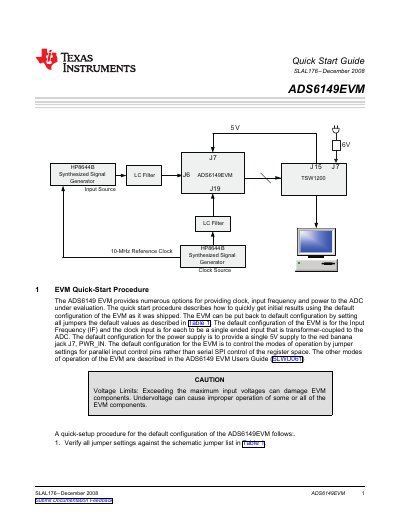
The ADS6149EVM evaluation board offers various options for providing clock, input frequency, and power to an ADC under evaluation. This document describes how to quickly obtain initial results using the default configuration as shipped from the factory.
The guide details a step-by-step setup procedure, including verifying jumper settings against a specific list, connecting 5V power supplies, generating sine-wave signals for clock and input sources, and capturing digital data using compatible logic analyzers or software tools.
The default configuration provides a single 5V supply to the red banana jack J7, PWR_IN.
In the default configuration, modes of operation are controlled by jumper settings for parallel input control pins rather than serial SPI control.
A 0-V offset, 1.5-Vpp sine-wave clock with a frequency within the device speed grade specification must be generated.