
This manual introduces the Wireless Trainer System WTR-7. The WTR-7 is used as a wireless trainer unit instead of the conventional wired trainer cable. This manual will introduce how to use WTR-7.
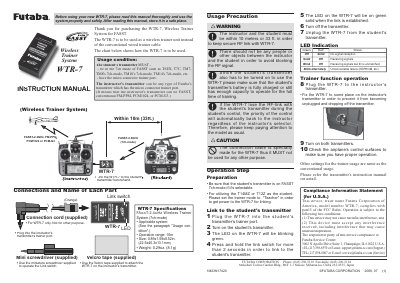
The Futaba WTR-7 is a wireless trainer system designed to replace conventional wired trainer cables. It enables an instructor to control a model aircraft from up to 10 meters away while a student operates the transmitter, allowing for safe remote training sessions using FASST technology in 7ch mode.
To use the system, the WTR-7 must be linked to the student's transmitter first by plugging it into the trainer port and holding the link switch. Once linked (indicated by a solid green LED), the unit is plugged into the instructor's transmitter. The system automatically prioritizes control from the student unless the RF link is lost, at which point control reverts to the instructor.
| Applicable system | FASST-2.4GHz (7ch-mode) |
|---|---|
| Operation range | 10m (33ft.) |
| Size | 22.5x40.3x13.4mm |
| Weight | 8.1g |
The student's transmitter must be in FASST 7ch mode and have a micro connector trainer port, such as T6EX, T7C, TM7, TMB8, or TM14. The instructor's transmitter can be any Futaba model with the micro connector trainer port.
Plug the WTR-7 into the student's transmitter trainer port, turn it on until the LED blinks green, then press and hold the orange Link switch for more than 2 seconds until the LED turns solid green.