
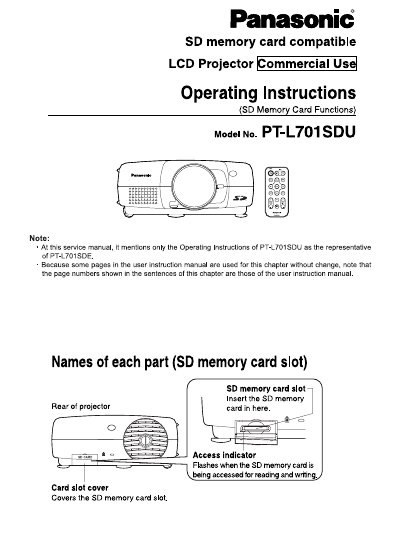
This document provides operating instructions specifically for the SD memory card features of the Panasonic PT-L701SDU LCD projector. It details how to insert and remove the card, handle it safely, and manage data backups.
The guide explains how to use the SD card for PC-free presentations by capturing images directly from the projector or playing back JPEG files stored on the card. It also covers file formats supported by the included JPEG Converter software.
| Card Size | 24 mm x 32 mm x 2.1 mm |
|---|---|
| Supported Formats (Windows) | PowerPoint, TIFF, BMP |
Yes, you can make "PC-free" presentations using just the LCD projector by storing computer image files and presentations on the card.
It supports PowerPoint, TIFF, and BMP files for conversion into JPEG.