
This document introduces the use of Datalogic Single Slot Dock Ethernet Module.
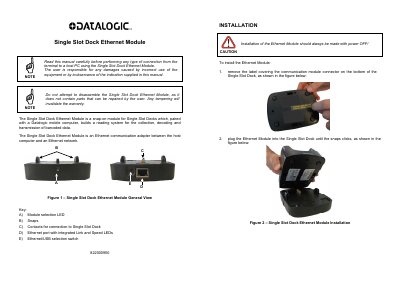
The Datalogic Single Slot Dock Ethernet Module is a snap-on communication adapter designed to connect Single Slot Docks to an Ethernet network. When paired with a compatible Datalogic mobile computer, it enables the collection and transmission of barcoded data via an Ethernet interface. The module features LEDs for status indication and a switch to select between USB and Ethernet modes.
| Interface | Ethernet 10/100 Base T |
|---|---|
| Dimensions | 110 x 140 x 36 mm |
| Working temperature | -10° to +50°C / 32° to 122°F |
| Storage temperature | -20° to +70°C / -4° to 158°F |
| Humidity | 95% without condensation |
Press the selection switch until the module selection LED is on.
A blinking yellow Ethernet Link LED indicates Ethernet activity.