
Sharp XL-MP130 Micro Component System Quick Start Guide

This is a product manual for XL-MP130 micro component system, introducing the features and usage methods of the product.
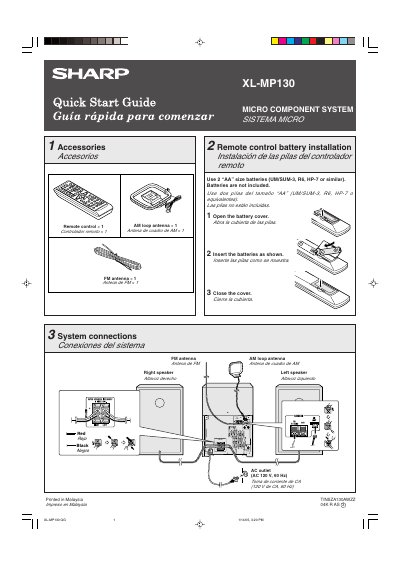

Sharp XL-MP130 Micro Component System Quick Start Guide - cover page
Brand
Sharp
Category
Hi-Fi
Document type
User Manual
Language
English
Pages
2
File format
PDF
File size
338 KB
Published
03 August, 2012
Updated
30 September, 2023
MD5 checksum
225C4D680A2A6A89596A4EA2EA50FDF2

About this manual

This document is a Quick Start Guide for the Sharp XL-MP130 Micro Component System. It details the included accessories, such as a remote control and antennas, and explains how to install batteries in the remote control. The guide also covers the initial setup process, including entering demonstration mode and turning on the power.

What's inside

  • Accessories
  • Remote control battery installation
  • System connections
  • Turn on your system
  • Listening to a CD or MP3/WMA disc
  • Listening to the radio
  • Listening to a cassette tape

Specifications

Power SupplyAC 120 V, 60 Hz
Remote Control Battery Type2 "AA" size batteries

Frequently asked questions

What happens when the unit is plugged in for the first time?

The unit will enter the demonstration mode and words will scroll.

How do you cancel the demonstration mode?

Press the X-BASS/DEMO button to cancel the demonstration mode.

How do you start playback of a CD?

Press the CD button, then press the OPEN/CLOSE button to open the tray, place the disc, and press the > / — button.

Download PDF (338 KB)

More Sharp Manuals


View all Sharp manuals →