
Sharp CD-RW5000 Audio Tower System Quick Guide

This is a quick guide for the CD-RW5000 audio tower system, providing instructions for installation and operation of the system.
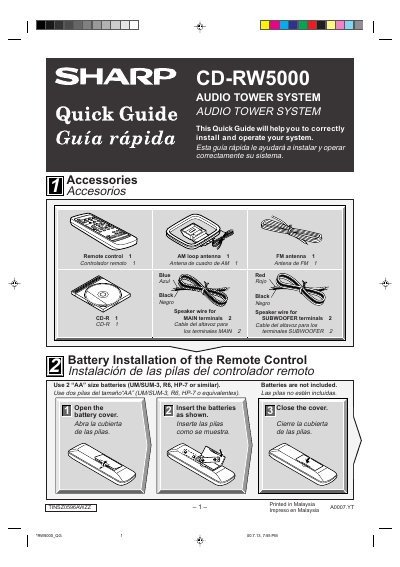

Sharp CD-RW5000 Audio Tower System Quick Guide - cover page
Brand
Sharp
Category
Hi-Fi
Document type
User Manual
Language
English
Pages
8
File format
PDF
File size
1.2 MB
Published
03 August, 2012
Updated
29 September, 2023
MD5 checksum
688EC204407C8E47B7AFEC7FA61409C8

About this manual

This document is a Quick Guide for the Sharp CD-RW5000 Audio Tower System. It covers system connections, including the use of the remote control, FM/AM antennas, and speaker wiring. The guide explains how to power on the unit and cancel the initial demonstration mode.

What's inside

  • System Connections
  • Turning on Your System
  • Listening to a CD
  • Listening to a Cassette Tape
  • Listening to the Radio
  • Recording to a Cassette Tape
  • Recording to a CD-R or a CD-RW
  • What is CD-R or CD-RW?

Specifications

AC Power120 V, 60 Hz
Battery Type2 AA size batteries
Compatible DiscsCD-R, CD-RW, audio CDs

Frequently asked questions

Can the system record to CD-RW discs?

Yes, the system supports recording to CD-R and CD-RW discs.

What batteries are required for the remote control?

The remote control requires two AA size batteries, such as UM/SUM-3, R6, or HP-7.

What is the power requirement for the system?

The system must be connected to an AC outlet providing 120 V at 60 Hz.

What is the maximum time allowed to complete steps 4 through 6 during CD recording?

You must complete steps 4 through 6 within 5 seconds, or the system will advance automatically.

Download PDF (1.2 MB)

More Sharp Manuals


View all Sharp manuals →