
This document is an instruction manual for CD-SW200 MINI COMPONENT SYSTEM
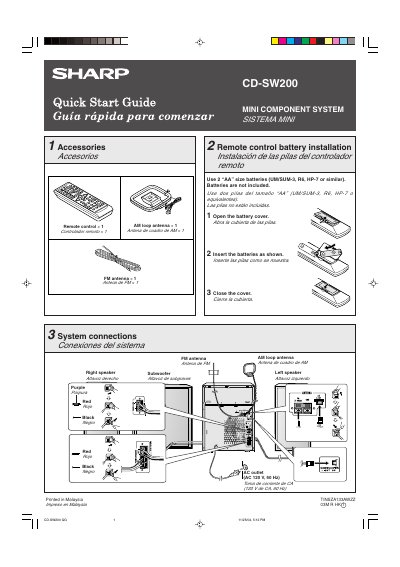
This document is a bilingual (English/Spanish) quick start guide for the Sharp CD-SW200 Mini Component System. It details the initial setup process, including installing batteries in the remote control and connecting the system to speakers and power sources.
The guide provides step-by-step instructions for operating the unit's various functions. Users can play CDs or MP3/WMA discs using the disc tray, listen to FM/AM radio stations with stereo reception indicators, and play cassette tapes. It also explains how to cancel the initial demonstration mode upon first connection.
Use 2 "AA" size batteries (UM/SUM-3, R6, HP-7 or similar). Batteries are not included.
The system requires an AC outlet of 120 V, 60 Hz.
Press the X-BASS/DEMO button to cancel the demonstration mode when the unit is plugged in for the first time.